IT Support
Business IT Support: What Good Providers Include
21 July 2026
Checked by Nick Haley, founder of Little Big Tech. He helps UK companies grow with scaled IT services, cyber security, and tech resilience. Most recently updated in July 2026.
Search "business IT support" and most results promise 24/7 cover, expert engineers, and peace of mind. They rarely explain what you actually get. That's the real problem with the term: it isn't one product.
Business IT support can range from one freelancer fixing laptops as needed. It can also be a full managed service. This can include helpdesk, security, cloud, and strategy.
Companies often bill it as a predictable monthly fee. Buy the wrong tier and you may overpay for cover you do not need. Or you may realise mid-incident that you did not include something critical.
This guide explains what business IT support covers. It also shows how the right level changes as your business grows.
It lists what to check before you commit. This helps you buy to a clear specification, not a sales pitch.
What Does "Business IT Support" Actually Mean?
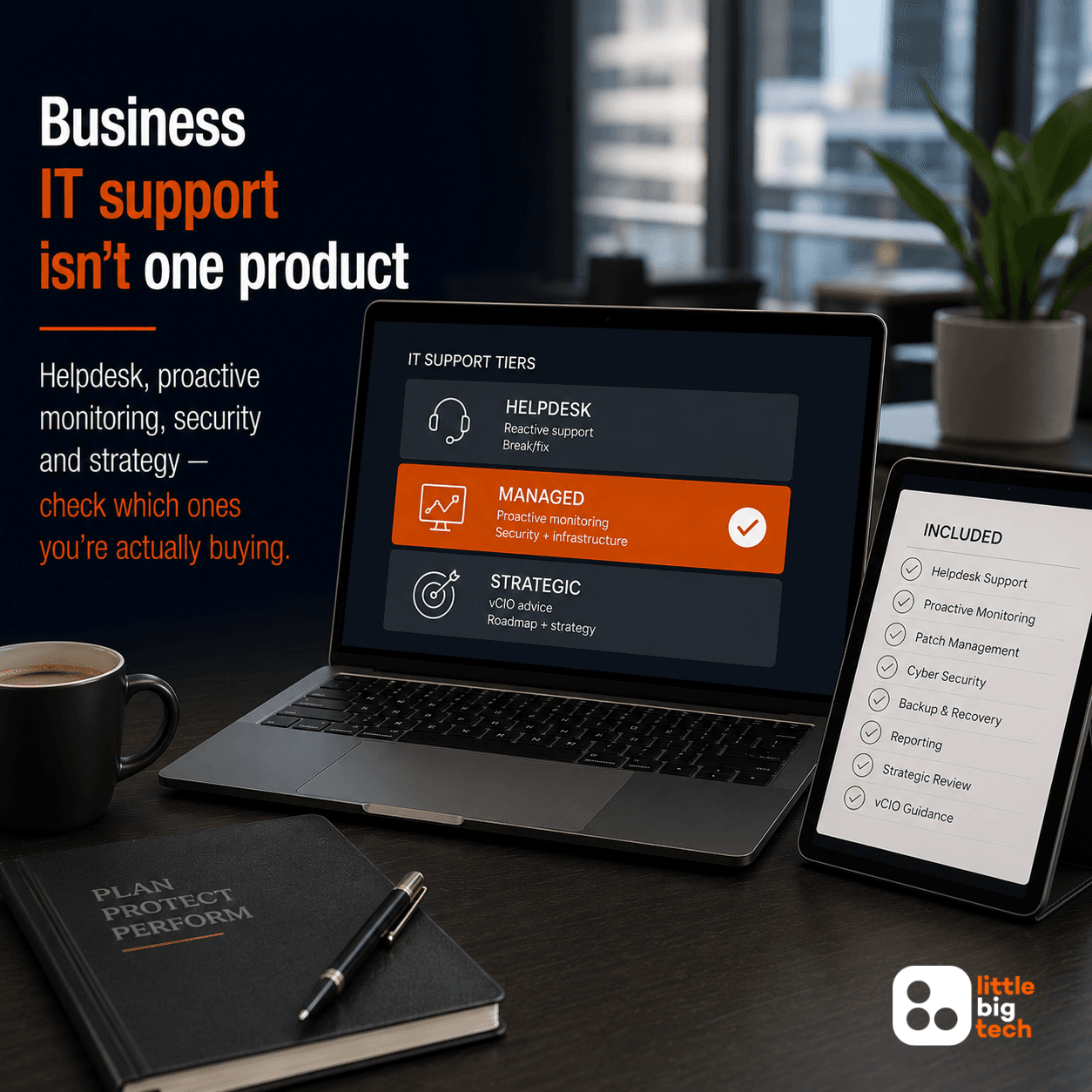
"Business IT support" is a broad term. Most confusion in this market happens because providers use it for three different services.
Reactive Helpdesk Support
This is IT support in its narrowest sense: something breaks, you log a ticket, an engineer fixes it. It is a good entry point for a very small business with low needs.
But on its own, it does not stop the next issue.
It is pure break-fix support.
Companies usually price it per call-out or per hour.
Proactive Managed IT Support
Proactive support monitors your systems continuously, patches vulnerabilities before they're exploited, and catches problems before your team notices anything's wrong. This is what most growing businesses need.
Vendors usually bill it as a fixed monthly fee per user, not per incident. See our full breakdown of what proactive IT support should include.
Strategic Technology Support
The most complete tier adds a technology roadmap. It helps you plan for growth.
It supports budgeting for renewals and upgrades. It also gives you a named contact.
They understand where your business is heading, not just what you plug in now. This is where business IT support stops being a cost line and starts becoming a genuine driver of growth.
Most guides on this topic conflate all three tiers under one heading. They are not the same service. Pricing them as if they were is exactly how businesses end up mis-buying.
What Good Business IT Support Should Include
Whichever tier you're buying, a genuine business IT support package should cover:
- Helpdesk and remote support — fast, unlimited access for your whole team, not a capped number of tickets per month
- Proactive monitoring and patching — systems checked continuously, not just when something visibly breaks
- A real cyber security baseline — endpoint protection, email security and multi-factor authentication as standard. Providers include these by default, not as a costly add-on
- Backup and disaster recovery — tested on a schedule, not just installed and forgotten
- Cloud platform management — Microsoft 365 or Google Workspace configured and secured properly, not just licensed
- Strategic reviews — regular check-ins that tie your technology decisions to where the business is actually going
If any of these is missing from a quote, ask why. Maybe they bill it separately as project work.
Maybe they don't include it at all. Either way, you need to know before you sign.
How Business IT Support Needs Change As You Grow
The right level of business IT support isn't fixed. It should scale with your business, not force you to replace your provider every time you grow.
| Business stage | Typical need | What "good" looks like |
|---|---|---|
| Startup / very small team | Ad hoc setup, basic Microsoft 365 support | Lightweight, pay-as-you-go support |
| Established small business | Fixed-fee helpdesk, security baseline, backup | SME-focused managed IT support |
| Scaling business, multiple teams | Proactive monitoring, structured reviews, roadmap | Managed IT partner with proper account management |
| Multi-site or regulated business | Compliance evidence, deeper security, governance | Sector-aware provider with a mature security stack |
Many growing businesses sit between two of these rows. That's normal, not a problem.
When it happens, choose a provider that can scale with you — don't just pick the cheapest quote on the table today.
Remote vs On-Site Business IT Support
Most day-to-day business IT support happens remotely. This covers helpdesk, monitoring, patching and security.
Remote support usually resolves issues faster than waiting for an engineer to travel to you. On-site support still matters for hardware installs, office moves or physical network issues. But it's a different service, with different resourcing behind it.
This matters when you compare quotes. A standard business IT support package does not automatically include on-site support. Don't assume it does.
Ask your provider directly: is on-site support part of your agreement, or a separate arrangement? And what does it cost when you need it?
How Quickly Should Business IT Support Respond?
Response time is one of the most heavily marketed promises in this market. It's also one of the least reliably delivered.
Rather than chasing a headline figure, look at how a provider prioritises work. A critical, business-stopping issue needs a completely different response to a routine password reset.
At Little Big Tech, critical issues are triaged separately from standard requests — a business-stopping problem never sits in the same queue as a password reset. We measure that prioritisation and report on it, which is a more useful commitment than a headline number, because it's one you can actually hold us to.
What matters more than any single figure is evidence. Ask your provider to show you consistent prioritisation, not just a number to take on trust.
The Real Cost of Getting Business IT Support Wrong
This isn't a hypothetical risk. The Cyber Security Breaches Survey 2025/2026 found that 43% of UK businesses had a cyber breach or attack in the past 12 months.
Phishing was the most common attack type, hitting 38% of businesses (GOV.UK: Cyber Security Breaches Survey 2025/2026).
A business without a genuine security baseline hasn't avoided that risk. It has simply chosen not to measure it.
The market you're buying into is large and fragmented. DSIT-commissioned research found 12,867 active managed service providers in the UK as of March 2025.
Together, they generated an estimated £51 billion in revenue (GOV.UK: Research on Managed Service Providers 2025).
That scale of choice is good news for buyers. But it also means "business IT support" spans everything from a one-person outfit to a national enterprise.
Due diligence matters more than picking the first name in the search results.
A Technology Resilience Score™ surfaces exactly this. It replaces a vague sense that your IT "seems fine" with a scored, evidence-based view of where the real gaps sit — and a clear path for closing them.
How to Choose a Business IT Support Provider
Once you know what to expect, comparing providers becomes much easier. At minimum, ask:
- What's included in the fixed fee, and what's billed separately as project work?
- What security controls come as standard, not as an upsell?
- How many clients do you support who are genuinely similar to us in size and sector?
- How do you prioritise critical issues versus routine requests?
- What does onboarding actually look like in the first 30, 60 and 90 days?
For the fuller due diligence version, see our IT support provider checklist. It covers certifications, contract terms and a full 50-point scorecard.
Weighing up managed IT as a model? Start with our UK buyer's guide to choosing managed IT support.
Before you shortlist, check our map of the UK IT support market. It explains how the different provider types work.
Little Big Tech's View
We'll be direct about this, because vague positioning helps nobody. We built Little Big Tech for ambitious UK businesses.
We work with companies past the earliest stage that genuinely depend on technology to serve clients and grow.
If your entire IT need is an occasional laptop fix, a lighter-touch arrangement suits you better. We'd tell you that in the first conversation.
We add the most value for businesses scaling headcount and taking on more demanding clients. We also help those carrying more risk than their current support can handle.
That's where the gap shows up fastest — between "business IT support" as a vague label, and business IT support as a genuine growth enabler.
A proper resilience baseline stops being an insurance policy at that point. It becomes a commercial asset.
Frequently Asked Questions
What's the difference between IT support and managed IT support?
IT support is the general term for any help with technology, including one-off, reactive break-fix work.
Managed IT support means something more specific: ongoing, proactive cover for monitoring, patching and security. Providers bill it as a fixed monthly fee, not per incident.
How much does business IT support cost in the UK?
Tier, headcount and scope all affect the price. There's no single reliable figure.
A cheap-looking quote has usually left something out, such as security tooling or proactive monitoring. Compare providers on scope first, and price second.
Do small businesses really need IT support, or can they manage without it?
It depends on dependency, not headcount.
Does the business handle client data? Take payments? Rely entirely on cloud tools to operate?
Any of these carries real risk without proper support, no matter how small the team is.
Is on-site IT support included in a standard business IT support package?
Not usually. Providers deliver most day-to-day support remotely.
On-site visits for hardware, installs or office moves typically sit under a separate agreement. Confirm that explicitly before you sign.
What should I check before switching business IT support providers?
Confirm exactly what's included, and what the provider bills separately as project work. Check which security controls come as standard.
Ask what a structured onboarding plan for the first 90 days actually looks like. If a provider can't give you a clear answer to any of these, treat it as a warning sign, not a technicality.
Related reading
Is your business's technology environment resilient?
Find out how prepared you really are to keep operating and recover quickly if disruption hits — with a free Technology Resilience Score™.
Our services